

One of the things
Before we start you need to have install Visual Studio for Mac 2022.
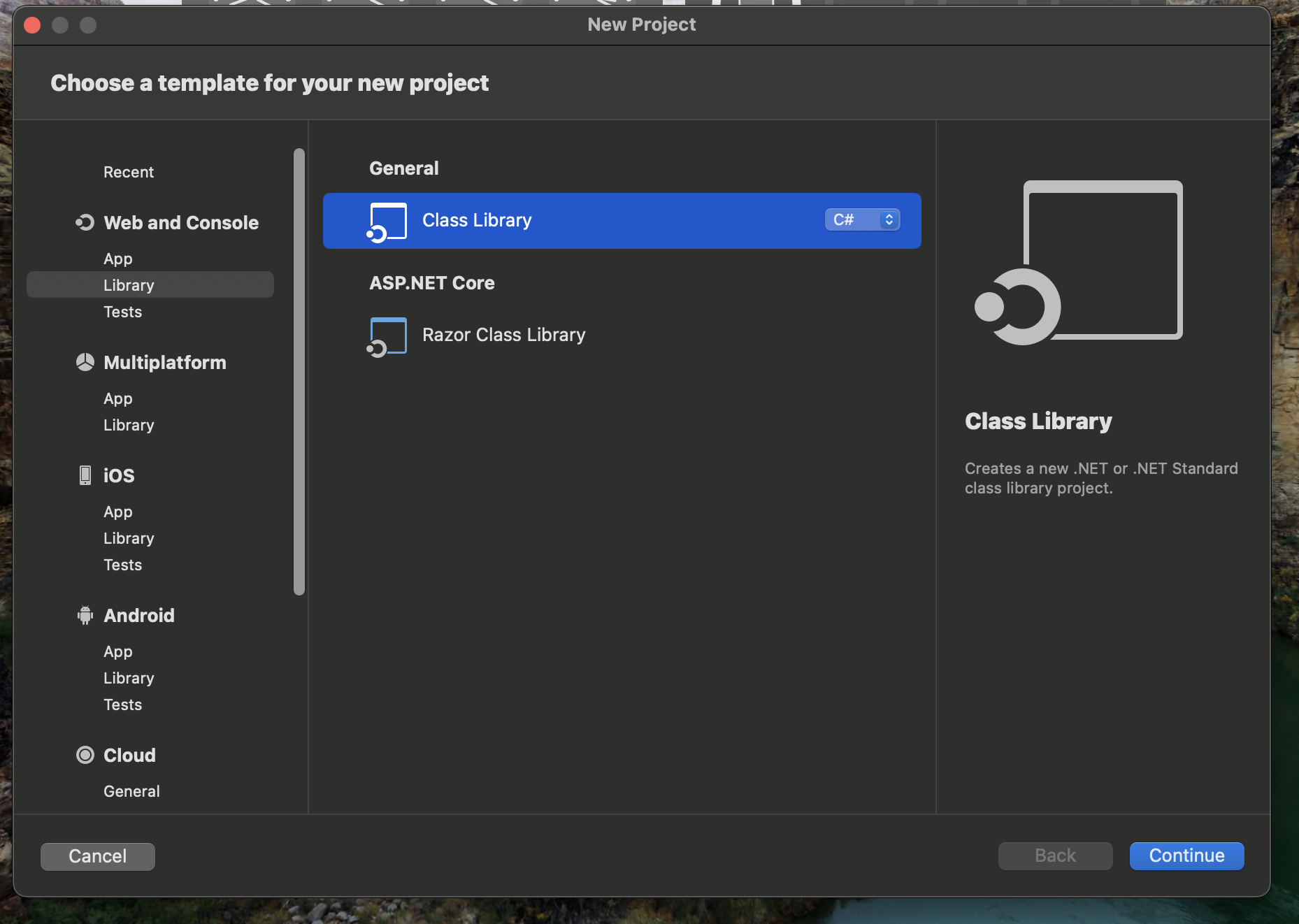
Step 1. Create a library project as shown
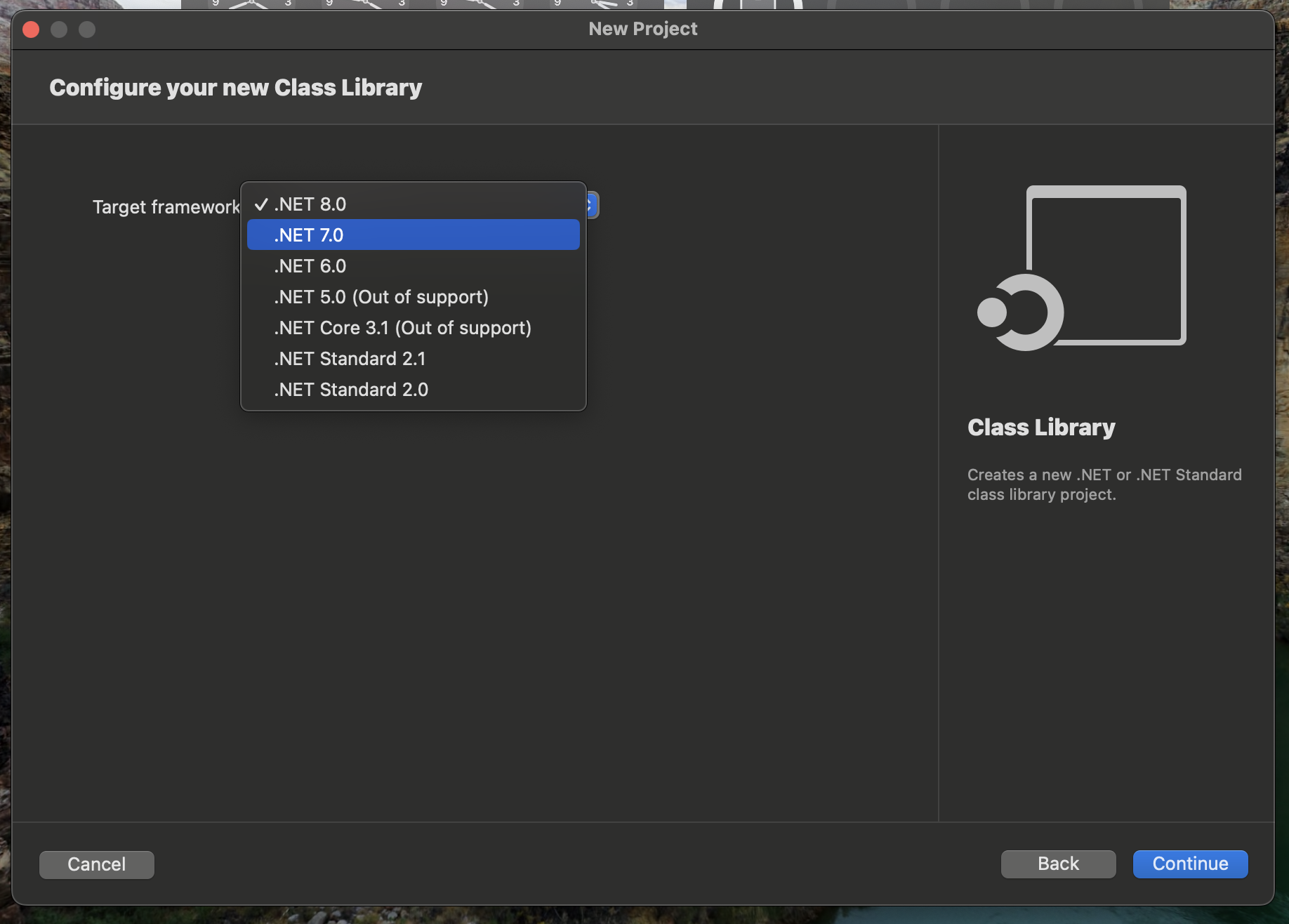
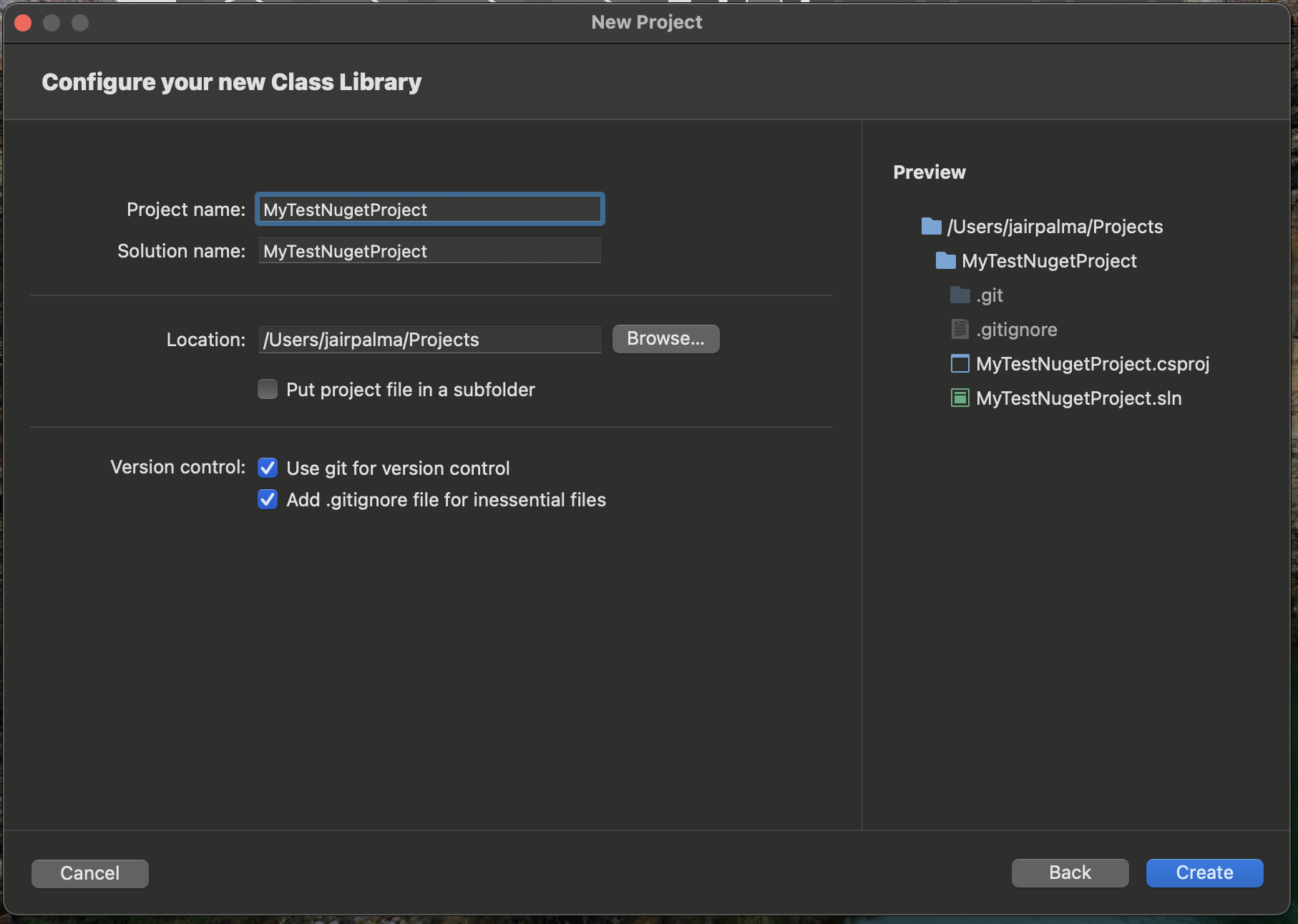
Step 2. You can choose between different .NET versions I use .NET 7 but I recommend you to use latest which is .NET depending of your project target, and enter a name for the project folder and solution.
Step 3. Add all the code your are planning to reuse, for this example I just added a simple class called “MyLoggerLibrary”.

public class MyLoggerLibrary
{
    public void Log(string text)
    {
        Console.WriteLine(text);
    }
}
Step 4. Add the meta data for identifying your package in case you want to upload to nuget.org
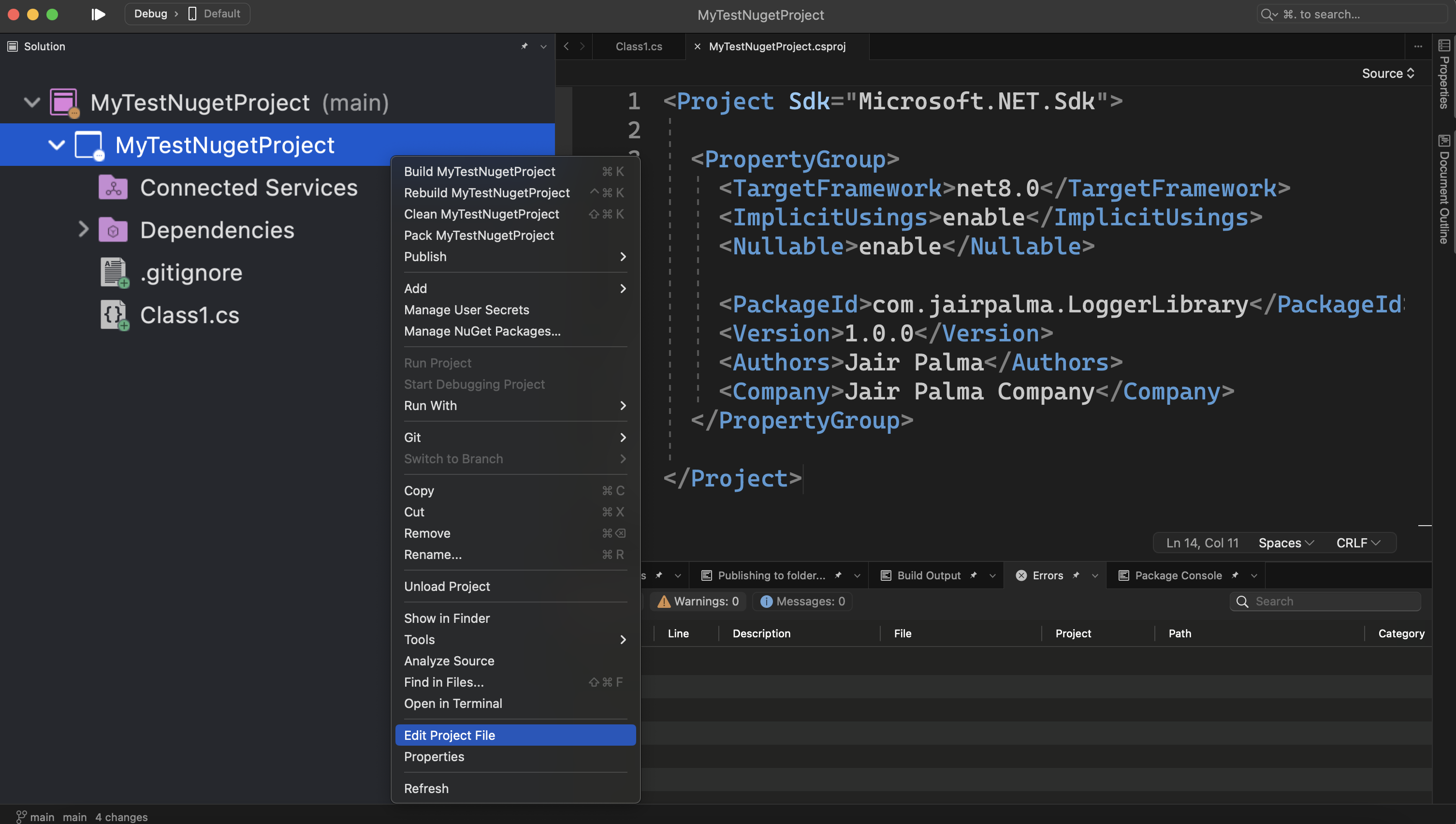
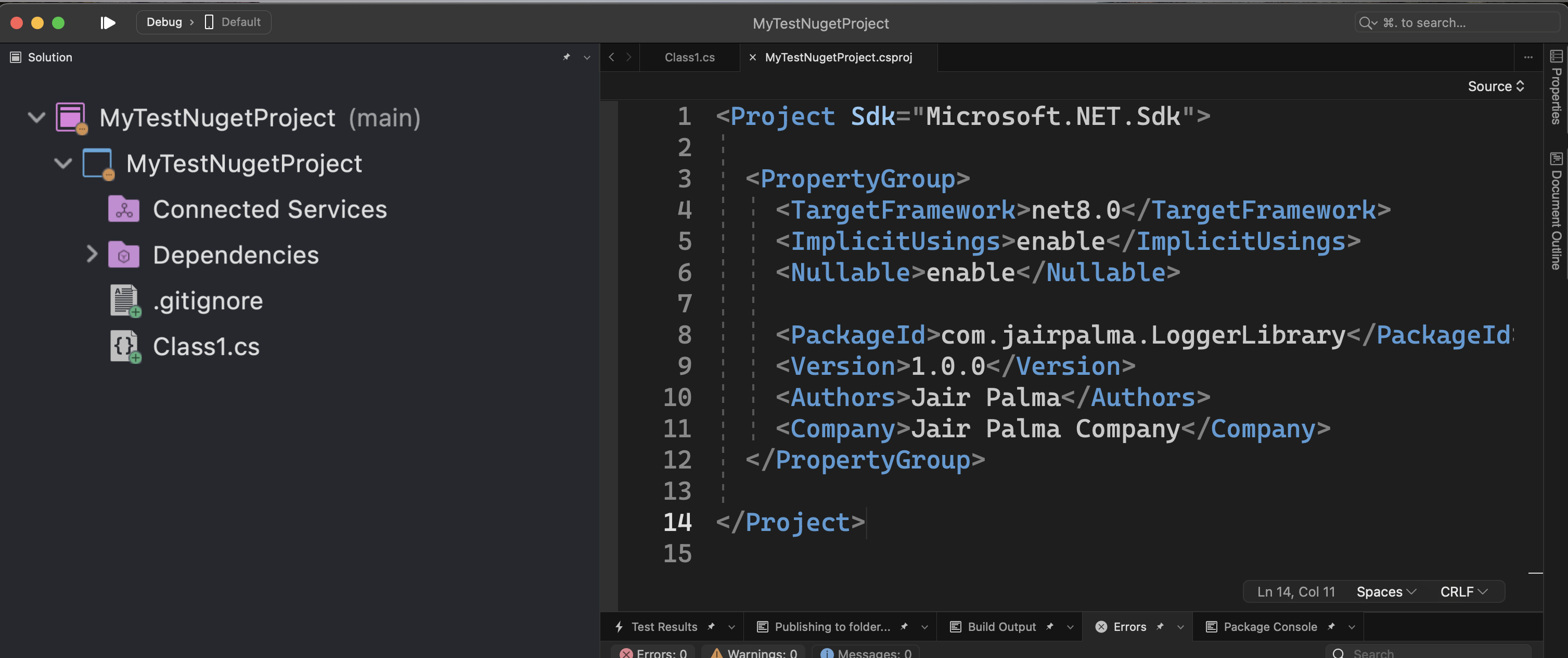
You have to add the following snippet using your information:
  <PackageId>com.jairpalma.LoggerLibrary</PackageId>
    <Version>1.0.0</Version>
    <Authors>Jair Palma</Authors>
    <Company>Jair Palma Company</Company>
Step 5. Finally you need to pack as NuGet using the following option from Visual Studio.
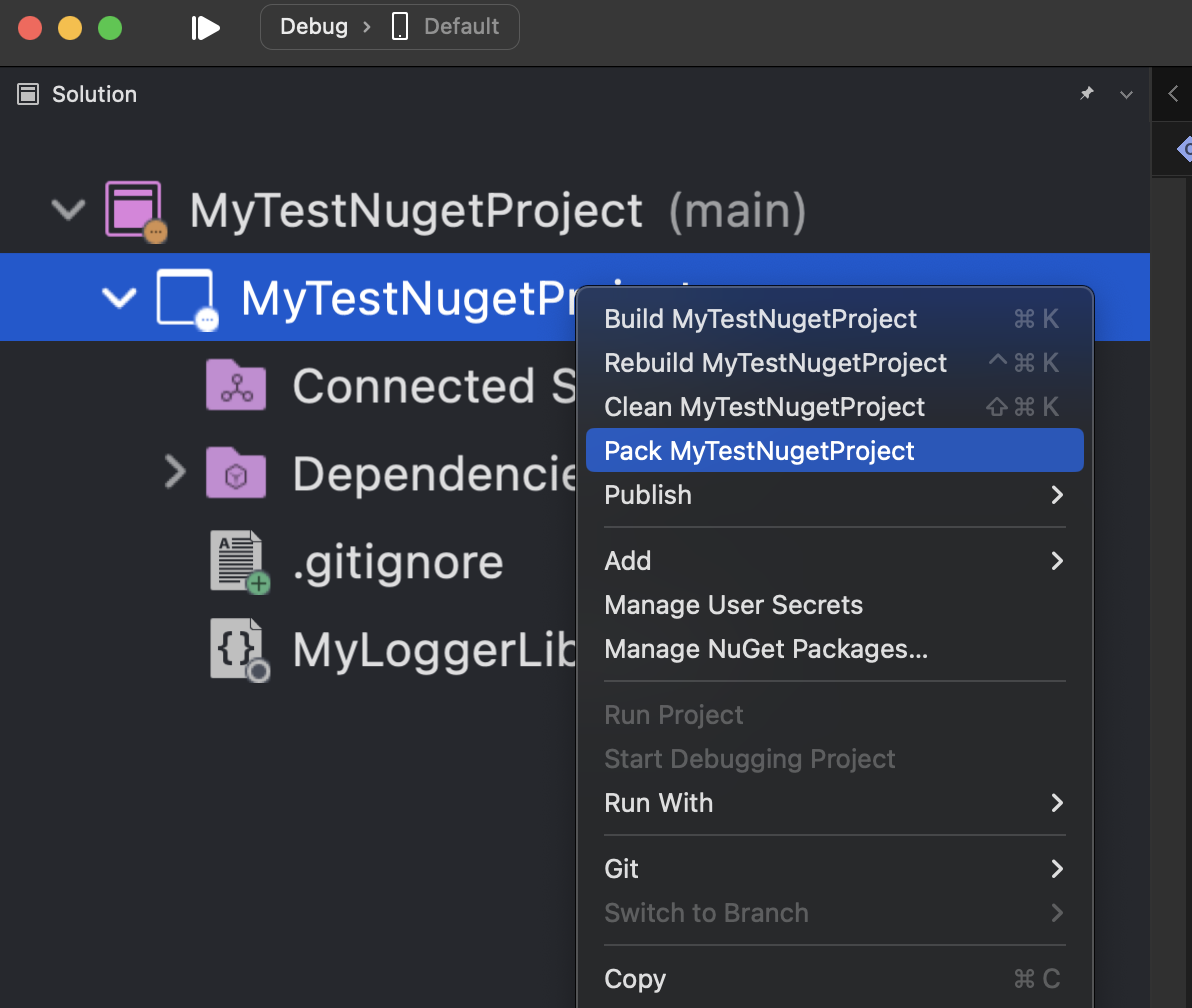
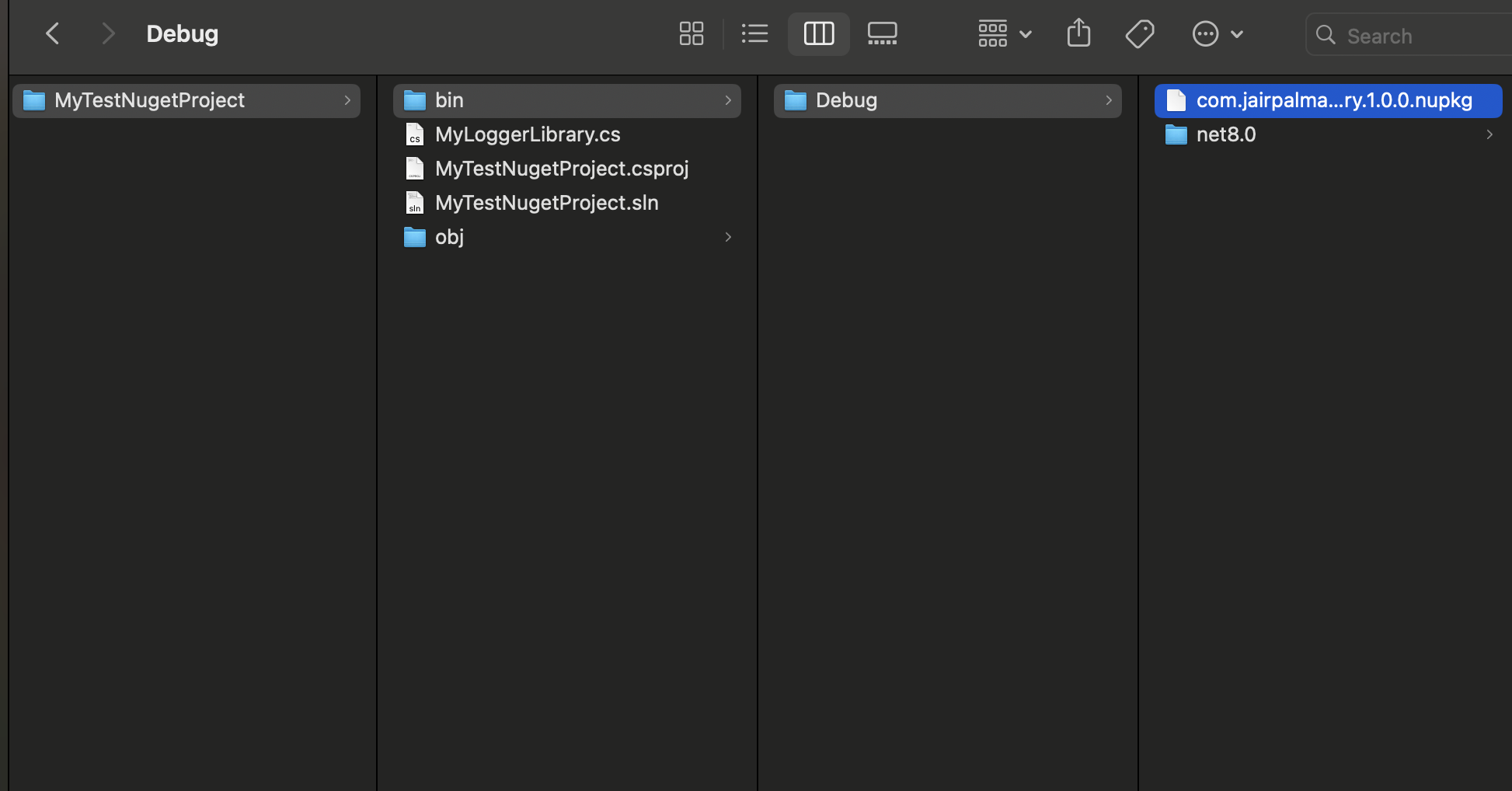
That will generate a .nugkg file in your bin folder of your project, this file is the one you need to upload to NuGet.org
For more information I recommend you to check the following links:
 Eleven Source by Jair Palma
Leave a comment